
upload photo | donate | calendar
|
my profile |
register |
faq |
search upload photo | donate | calendar |
 12-20-2003, 05:22 PM
|
#1 |
|
User
Join Date: Sep 2003
Location: Central Florida
Posts: 27
Thanks: 0
Thanked 1 Time in 1 Post
|
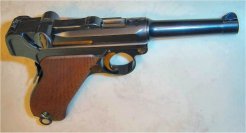
 Trying to decide: restoration or leave it be.
I've owned this 06 Naval Commercial for a long time. All matching except the magazine which is a nice American Eagle.
The strawing is weak, and I'm confused on the finish. It would appear to be original by the crispness of the proofs on the underside of the barrel, and the condition overall, but the weakness of the proofs on the left side of the receiver looks like a buff job to me. It would be a great restoration candidate unless it's collector value dictates otherwise. I have to admit that I worked on the grips 20 years ago. They look great, but I might have done a no no. Comments? http://forums.lugerforum.com/lfupload/barrell.jpg <a href="http://forums.lugerforum.com/lfupload/left.jpg" target="_fullview"><img src="http://forums.lugerforum.com/lfupload/left.jpg" width="400" alt="Click for fullsize image" /></a> <a href="http://forums.lugerforum.com/lfupload/goodside1.jpg" target="_fullview"><img src="http://forums.lugerforum.com/lfupload/goodside1.jpg" width="400" alt="Click for fullsize image" /></a> <a href="http://forums.lugerforum.com/lfupload/top1.jpg" target="_fullview"><img src="http://forums.lugerforum.com/lfupload/top1.jpg" width="400" alt="Click for fullsize image" /></a>
__________________
Good judgement comes from experience... experience comes from bad judgement. |

|

|
|
12-20-2003, 05:26 PM
|
#2 |
|
User
Join Date: Sep 2003
Location: Central Florida
Posts: 27
Thanks: 0
Thanked 1 Time in 1 Post
|
Had a problem with the important pic. The url in the original is not mine labelled left.
Thanks 
__________________
Good judgement comes from experience... experience comes from bad judgement. |
|
|
|
|
12-20-2003, 06:04 PM
|
#3 |
|
User
Join Date: Jun 2002
Location: San Mateo, California
Posts: 1,432
Thanks: 2
Thanked 71 Times in 56 Posts
|
Beautiful Navy Commercial, Simoon. The edges of the receiver are sharp. The "U" and "B" proofs are sharp and struck with apparently a worn dye. The edges on the side plate are also sharp. I don't see any evidence of buffing. The grips, although reworked by you, look great. It's a great looking piece that smacks of being completely original. To "restore" such a piece would deserve life in prison!
|
|
|
|
|
12-20-2003, 08:16 PM
|
#4 |
|
Moderator
2010 LugerForum Patron 
Join Date: Jun 2002
Location: Santa Teresa New Mexico just outside of the West Texas town of El Paso
Posts: 7,051
Thanks: 1,123
Thanked 5,287 Times in 1,728 Posts
|
It is always hard to tell from photos whether a finish is original or not. My first impression is that it is original. It should be examined by somebody like Tom A. to verify it. Given that it is original, restoration isn't an option. I can't think of a quicker way to turn a $4-5000 gun into $1200 shooter. On top of that, it is a beautiful piece the way it is. Why in the world would you want to restore something that looks that good? An all matching gun that is nearly 100 years old isn't supposed to look new.
__________________
If it's made after 1918...it's a reproduction |
|
|
|
|
12-20-2003, 11:20 PM
|
#5 |
|
RIP
Join Date: Jun 2002
Location: SE Michigan
Posts: 1,864
Thanks: 1
Thanked 6 Times in 5 Posts
|
Simoon,
something that I always key up on is the locking bolt. Few people are able to keep the flatness aas well as the champhered edges while restrawing. The pictures you sent, while good, are not really good enough the really tell. But my guess is the the flat surface looks a bite rounded. Only you can tell because you have the gun in your hands. I see what you mean by the possible buffed proof mark on the left side. But the gun otherwise looks good. Good enough to cast and element of doubt. As long as there is that element of doubt then you should NOT restore this gun. You would only eliminate the element of doubt and then you and everyone else would then know that it is a restored gun for sure. Big Norm |
|
|
|
|
12-21-2003, 10:08 AM
|
#6 |
|
User
Join Date: Sep 2003
Location: Central Florida
Posts: 27
Thanks: 0
Thanked 1 Time in 1 Post
|
As usual, thanks for the insight! I learn something everytime I visit lugerforum.
I uploaded this picture. Wondering if it is the tie breaker. With the safety on the difference in the bluing underneath is noticable. Can't imagine someone doing a good bluing with the lever in place especially since it is not blued itself. Is that from years of corrosion? The toggle bolt pin seems not to be the same hue. Is that normal or a repair? And of course what drives me insane are the scratches some idiot put on the side in what must have been an attempt to remove surface rust. Bob ps Overnight, my url's turned into images. Are there elves that do that? Or am I making work for somebody? http://forums.lugerforum.com/lfupload/side_copy1.jpg
__________________
Good judgement comes from experience... experience comes from bad judgement. |
|
|
|
| The following member says Thank You to simoon for your post: |
|
12-21-2003, 10:50 AM
|
#7 |
|
User
Join Date: Jun 2002
Location: San Mateo, California
Posts: 1,432
Thanks: 2
Thanked 71 Times in 56 Posts
|
Simoon, the toggle pin was originally fire blued and later would have a different hue that the rest of the blue. The different "bluing" under the safety lever is the old ground out lower "Gesichert" marking that was done around 1912 when the first model '06 Navy was modified into the second model to correct a safety problem when the gun was removed from the holster. Again, all correct. The take down lever, as Big Norm suggests, is a question, but one just cannot tell. I agree that the buffing on the side of the frame is aggravating, but doesn't change, IMO, that this piece is basically an original gem.
|
|
|
|
|
12-21-2003, 12:18 PM
|
#8 |
|
Super Moderator
Eternal Lifer LugerForum Patron 
Join Date: Jun 2002
Location: North of Spokane, WA
Posts: 15,980
Thanks: 2,078
Thanked 4,614 Times in 2,127 Posts
|
Simoon, I did that.
I love to be able "see" the picture and the words right in front of me. The "trick" is to place [img] or if the picture is larger than the screen, a [thumb], while at the end of the url you place [/img] or [/thumb]. img equals image, the first one "tells" the computer that an image follows, the second one "tells" the computer the image is finished. The thumb is code that John D wrote and tells the image to show up as smaller, but allows you to click on it. As an example, your url above, if you click on the icon of the pencil and paper the url is kind of messed up? Then compare it to the url shown here on this page. The img and the /img with brackets would go on each side of the url with out any spaces. It is easier to see than have it explained, <img border="0" title="" alt="[Wink]" src="wink.gif" /> Ed
__________________
Edward Tinker ************ Co-Author of Police Lugers - Co-Author of Simson Lugers Author of Veteran Bring Backs Vol I, Vol II, Vol III and Vol IV |
|
|
|
|
12-21-2003, 01:53 PM
|
#9 |
|
User
Join Date: Sep 2003
Location: Central Florida
Posts: 27
Thanks: 0
Thanked 1 Time in 1 Post
|
 just testing
__________________
Good judgement comes from experience... experience comes from bad judgement. |
|
|
|
|
12-21-2003, 02:01 PM
|
#10 |
|
User
Join Date: Sep 2003
Location: Central Florida
Posts: 27
Thanks: 0
Thanked 1 Time in 1 Post
|
It previews OK, but it doesn't appear on the page correctly.
I'm lost.
__________________
Good judgement comes from experience... experience comes from bad judgement. |
|
|
|
|
12-21-2003, 02:07 PM
|
#11 |
|
User
Join Date: Sep 2003
Location: Central Florida
Posts: 27
Thanks: 0
Thanked 1 Time in 1 Post
|
 One more time....
__________________
Good judgement comes from experience... experience comes from bad judgement. |
|
|
|
|
12-21-2003, 02:08 PM
|
#12 |
|
User
Join Date: Sep 2003
Location: Central Florida
Posts: 27
Thanks: 0
Thanked 1 Time in 1 Post
|
I got it!!!
Thanks!!
__________________
Good judgement comes from experience... experience comes from bad judgement. |
|
|
|
|
12-21-2003, 04:06 PM
|
#13 |
|
Super Moderator
Eternal Lifer LugerForum Patron
Join Date: Jun 2002
Location: North of Spokane, WA
Posts: 15,980
Thanks: 2,078
Thanked 4,614 Times in 2,127 Posts
|
the space between the [/img] and is what made it not show up, but now that you know what works, it gets easier each time.
ed
__________________
Edward Tinker ************ Co-Author of Police Lugers - Co-Author of Simson Lugers Author of Veteran Bring Backs Vol I, Vol II, Vol III and Vol IV |
|
|
|
|
12-21-2003, 05:03 PM
|
#14 |
|
User
Join Date: Jun 2002
Location: Portland, Oregon
Posts: 3,908
Thanks: 0
Thanked 1,330 Times in 435 Posts
|
Simoon,
Looking at the photo of the top of the gun, the end of the center toggle retaining pin (which can be seen at the top of the left toggle grip) and the 200-meter number platen are both unblued. These are solid indicators that this Luger retains its original finish. If you have gone through Tom Armstrong's excellent post on authenticating Imperial Navy Lugers and everything is proper, you have a really excellent original Commercial Navy Luger. --Dwight |
|
|
|
|
12-21-2003, 07:48 PM
|
#15 |
|
Moderator
2010 LugerForum Patron
Join Date: Jun 2002
Location: Santa Teresa New Mexico just outside of the West Texas town of El Paso
Posts: 7,051
Thanks: 1,123
Thanked 5,287 Times in 1,728 Posts
|
Bob (Simoon)
The discolored area under the safety lever is the result of oxidation of the bright polished safety marking style of 1900 and 1906 model Lugers. Some 1906 commercial Navy Lugers were GESICHERT marked, but they are also found with the polished safey area like yours. You have what appears to be a really nice original finished Commercial Navy. Your tie breaker doesn't faze me at all. I still believe it would be a big mistake to restore it. Just my opinion, Ron
__________________
If it's made after 1918...it's a reproduction |
|
|
|
|
12-21-2003, 08:29 PM
|
#16 |
|
User
Join Date: Sep 2003
Location: Central Florida
Posts: 27
Thanks: 0
Thanked 1 Time in 1 Post
|
Ron, Ed, Herb, Norm, & Dwight,
I will not do a thing to this Naval! I'll find an appropriate shooter and send it to Thor. Thanks for your collective insights and help. Happy Holidays to all! Bob
__________________
Good judgement comes from experience... experience comes from bad judgement. |
|
|
|
|
12-22-2003, 02:48 PM
|
#17 |
|
RIP
Join Date: Jun 2002
Location: Dc 'burbs in Virginia
Posts: 2,482
Thanks: 0
Thanked 16 Times in 10 Posts
|
All,
The gun is right as rain and any attempts to enhance it should warrant 30 days in the electric chair. Tom A. |
|
|
|
|
12-22-2003, 02:55 PM
|
#18 |
|
Administrator
& Site Owner LugerForum Patron Join Date: Jun 2002
Location: A Little NE of Somewhere...
Posts: 2,651
Thanks: 478
Thanked 517 Times in 129 Posts
|
</font><blockquote><font size="1" face="Verdana,Tahoma,Arial,Helvetica,Geneva">quote:</font><hr /><font size="2" face="Verdana,Tahoma,Arial,Helvetica,Geneva">Originally posted by Tom A:
<strong>.... any attempts to enhance it should warrant 30 days in the electric chair.</strong></font><hr /></blockquote><font size="2" face="Verdana,Tahoma,Arial,Helvetica,Geneva">That's a shocking statement..!!! <img border="0" title="" alt="[Eek!]" src="eek.gif" /> 
|
|
|
|
 |
| Thread Tools | |
| Display Modes | |
|
|


 Linear Mode

